


T.O.T FLYING SPINNER - FLYNOVA
T.O.T FLYING SPINNER - FLYNOVA
Currently this item has stock!
Fast, tracked shipping
Orders are packed the same working day wherever possible and shipped with a tracking link sent straight to your inbox, so you always know where your car is.
Secure checkout
Pay by card, UPI, net banking or wallet through an encrypted checkout. Your payment details are handled by the payment provider and never stored on our servers.
Straightforward returns
Changed your mind or received a faulty unit? Message us with your order number and we will walk you through a replacement or return - no scripts, no runaround.
Built to survive real driving
An impact-resistant shell, protected electronics and a low-slung chassis that shrugs off kerb taps, wall bumps and the occasional roll on the way to a clean drift.
Spare parts on request
Tyres, batteries and body clips wear out - that is normal. Get in touch and we will help you source the part you need instead of replacing the whole car.
Real people on support
Setup question, pairing trouble or a tuning tip - reach us on chat or email and a human who actually drives these cars will answer.
- Cash on delivery available on orders under Rs. 3,000
- Free delivery on every order
- Spare parts available on request
Couldn't load pickup availability



What's Included
Everything You Get
Complete set, ready to play straight out of the box.
Everything you need to know
- UFO-style disc that spins as it flies
- 360° flips and stunt tricks
- Sensor hover technology for smooth, stable flight
- Hand-gesture control - no remote needed
- Boomerang-style return
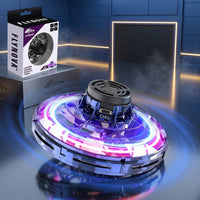
- RGB LED light show while spinning
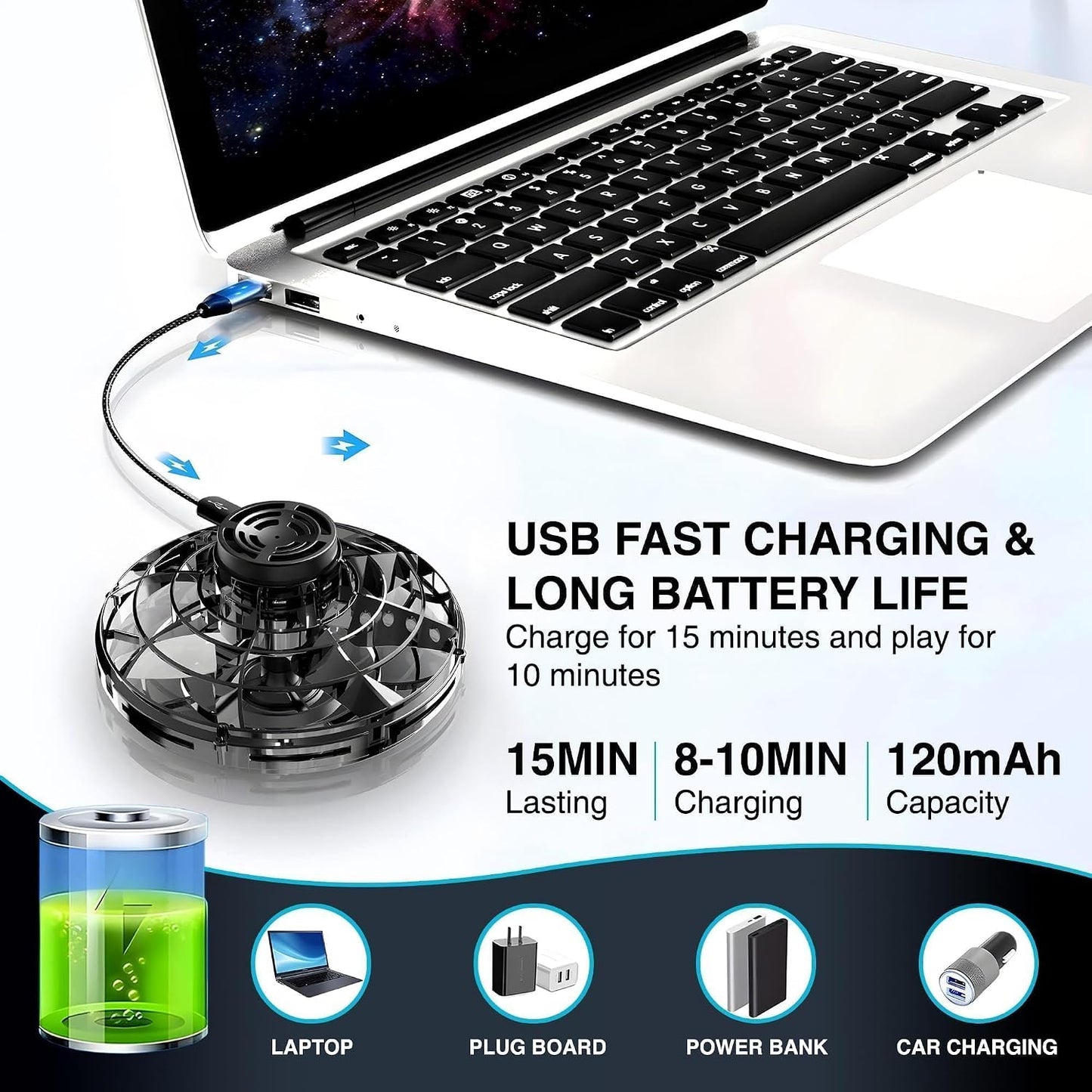
- USB charge port built into the top hub
Meet the Flynova Flying Spinner — a UFO-style disc that spins on your fingertip one second and hovers in mid-air the next.
Gesture control, no remote.
Start the rotors, release, and guide it with your hand. It hovers, dodges and returns like a boomerang without a single button press.
Spin, flip, repeat.
Sensor hover technology keeps altitude and distance steady, so you can throw 360° flips and stunt tricks and still land it back on your hand.
Lit up while it spins.
RGB LEDs sweep around the disc as the rotors turn, leaving light trails that look their best after dark.
Charge and go.
A USB port sits in the top hub — plug in, top it up, and head straight back out.
Flynova Spinner. Spin it. Fly it. Own it.
Everything in the box, ready to play straight out of the packaging.
- Flynova Flying Spinner × 1
- USB Charging Cable
- User Manual
- Form
- UFO-style spinning disc
- Control
- Hand gesture, no remote needed
- Flight
- Spin, hover and 360° flips
- Sensors
- Automatic altitude and distance adjustment
- Lighting
- RGB LED light show
- Charging
- USB port on the top hub
- Build
- Crash-resistant construction
- Use
- Indoor and outdoor
- Fingertip spinning and hand-to-hand tricks
- Night play and party light shows
- Indoor rooms and open outdoor spaces
- Beginners learning gesture control
- Birthday and holiday gifting

Same power
Different personalities
Pick the one that matches your garage.
Good to know
Frequently asked questions
What age is this car suitable for?
We recommend it for ages 8 and up. Younger drivers can absolutely enjoy it in low-speed mode with an adult nearby - the proportional steering makes it far easier to control than a basic on-off toy.
How long does it run on one charge?
Around 20-25 minutes of continuous driving. A full charge over the supplied USB cable takes roughly 90 minutes. Keeping a second battery on hand is the easiest way to double your session.
Can I drive it outdoors?
Yes, on smooth surfaces such as finished concrete, a driveway or a basketball court. Loose gravel, sand and wet ground are best avoided - the drift tyres need a clean surface to slide predictably.
What surfaces work best for drifting?
Tiles, polished wood, marble and smooth concrete all work well. Carpet and rugs give too much grip, so the car will push forward instead of sliding.
Does it come with everything I need?
Almost. The car, controller, rechargeable battery, USB cable, drift and grip tyres, cones and spares are all in the box. You will need two AA batteries for the controller.
What if a part breaks?
Message us with your order number and a photo. Tyres, batteries and body clips are wear items and we will help you source replacements rather than replace the whole car.
How do I pair the controller?
Switch the car on first, then the controller. They link automatically within a couple of seconds. If the lights keep flashing, turn both off, wait five seconds and repeat in the same order.
Can more than one car run at the same time?
Yes. The 2.4GHz system assigns each pair its own channel, so several cars can race together without the controllers interfering with each other.